Stage Clear Tips — space station gymnasium with zero-gravity exercise equipment and plasma displays
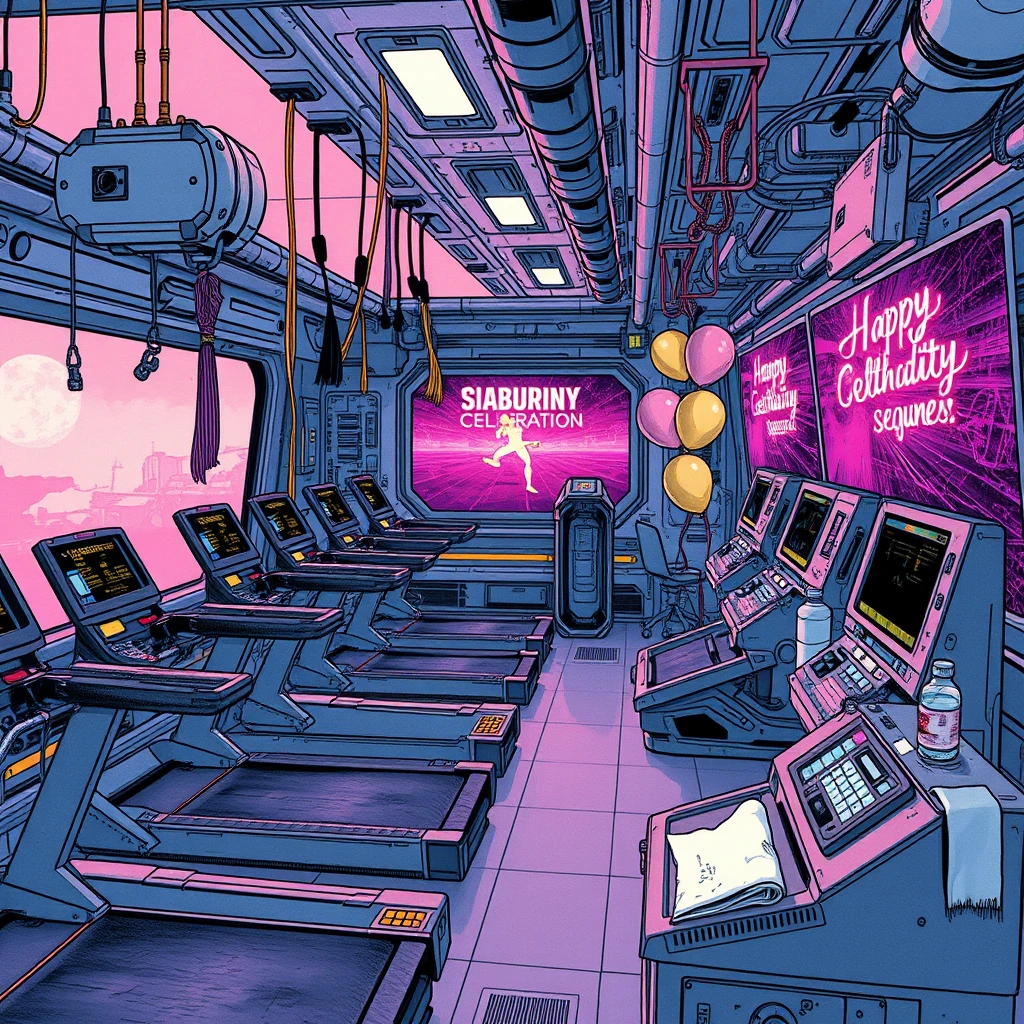
As you step into the futuristic space station gymnasium, the ambient glow from plasma displays casts an ethereal light across high-tech exercise equipment designed for zero-gravity environments. The scene blends sleek, metallic surfaces with vibrant digital screens, creating a dynamic and immersive backdrop.
What kind of changes to expect
In today’s puzzle, you’ll encounter 12 differences primarily involving object swaps. These can include subtle variations in lighting or the placement and form of items within the gymnasium. To tackle these effectively, focus on comparing sections with similar elements but also be aware that objects may have been subtly altered or swapped.
Theme background
The space station gymnasium theme is inspired by advanced, near-future technology where exercise equipment is adapted to zero-gravity conditions for optimal astronaut health and wellness. The art style features a blend of sleek metallic structures and vibrant digital screens, reflecting the high-tech aesthetic common in science fiction literature and film. With its cool color palette and futuristic design elements, this setting immerses players in a world where technology seamlessly integrates into daily life.
Strategy
1. Pay attention to lighting variations; subtle changes can often highlight differences between objects.
2. Compare digital displays closely as these may contain slight modifications or completely different content.
3. Keep an eye on exercise equipment details, noting any unexpected alterations or swaps that disrupt the overall uniformity of the scene.
Full position guide
The list below covers all differences in this puzzle. Click to expand if you're stuck and want exact positions.
🔍 Show difference positions (spoilers — open only when stuck)
Approximate on-screen position and change for each difference. Each playthrough picks 5 from this pool, so your game may match only some entries.
- bottom-center — control panel with buttons → touchscreen display
- bottom-right — control panel with buttons → tablet with stylus
- middle-right — control panel with buttons → remote control
- bottom-right — control panel with buttons → smartphone
- top-left — control panel with buttons → laptop
- middle-center — control panel with buttons → tablet with stylus
- middle-right — control panel with buttons → smartphone
- middle-left — control panel with buttons → laptop
- top-left — control panel with buttons → tablet with stylus
- middle-right — control panel with buttons → smartphone
- top-left — control panel with buttons → laptop
- middle-center — control panel with buttons → tablet with stylus
Try the puzzle
---
One of 500+ AI-generated daily puzzles on SpotDiff. New scene every day at midnight UTC.
→ Open this puzzle on SpotDiff Daily